Sep 2, 2026
Stock Photos for Social Media Ads: How to Pick Images That Convert
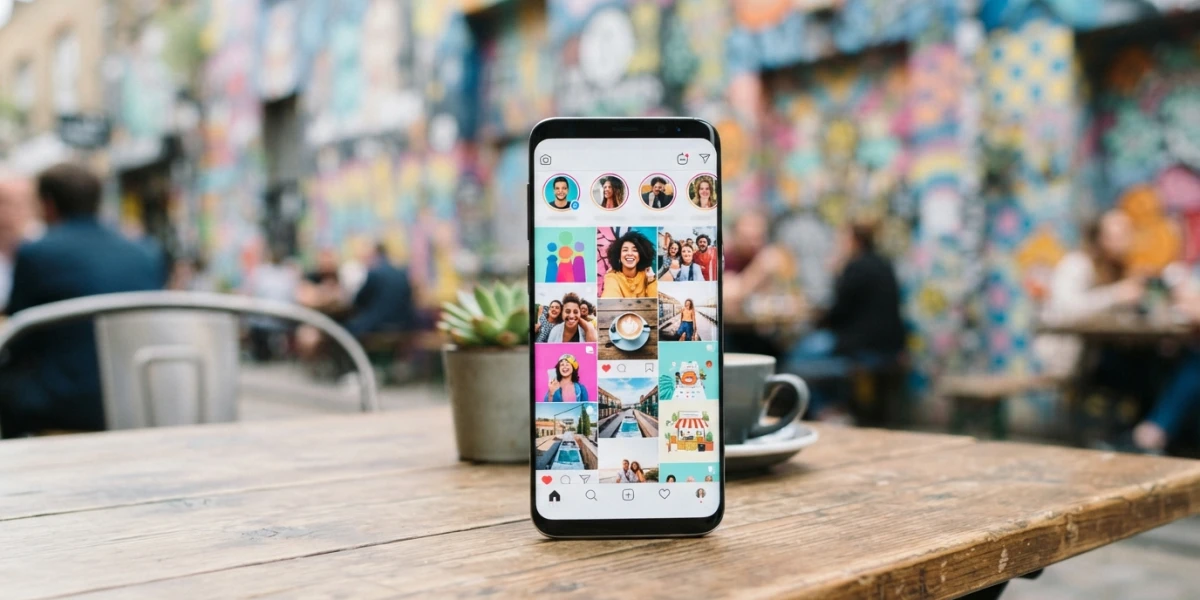
Image generated with AI
Stock photos for social media ads get judged in the blink of an eye: your audience decides in milliseconds whether your ad deserves a second look. Here is how buyers choose images that earn that look - the right placement size, the right mood, and a license that actually covers paid advertising.
Your image is doing most of the selling
Most media buyers plan around targeting, budget and bid strategy, then treat the image as a box to tick. The data says that is backwards. A meta-analysis of nearly 500 CPG campaigns by NCSolutions and Nielsen attributed roughly 49% of incremental sales lift to the creative itself - more than targeting, reach or recency - and later research from the same company still credits creative with about half of the sales lift from advertising. In other words, the best audience in the world cannot save an ad whose image does not earn attention.
The brain also evaluates images far faster than copy. MIT researchers found that people can grasp the core idea of a picture in about 13 milliseconds, which is why a photo in a social feed gets judged before the headline is even read. For a buyer, that changes the brief: you are not decorating an offer, you are choosing the first argument of the sale. Pick the image badly and no amount of clever copy will recover the impression.
Match the image to the placement before you download
The single most common mistake when buying stock for paid social is licensing one image and assuming it will work everywhere. Feeds, Stories, TikTok, LinkedIn and Google Display all crop differently, and the platforms now recommend surprisingly large files. The practical rule for buyers: license one image at high resolution (3000+ pixels on the long side) and crop it natively for each placement. Before you pay, confirm that the subject and the negative space survive every crop you plan to serve - a great photo with no room for the ratio is a wasted license.
Meta (Facebook and Instagram) feeds
Meta raised its recommended resolution to 1440 pixels on the short side in 2026. For feeds, the 4:5 vertical is the strongest format because it occupies more mobile screen and captures more attention: publish at 1440x1800. The square 1:1 remains a safe universal fallback at 1080x1080 (still accepted), and Stories and Reels run 9:16 at 1440x2560. Link ads with a headline use 1200x628 at a 1.91:1 ratio. Files stay under 30 MB in JPG or PNG.
Stories and Reels safe zones
Interface elements cover a meaningful part of vertical placements, and Meta publishes the margins: roughly 14% at the top, about 35% at the bottom and around 6% on each side for Reels, with Stories leaving a smaller margin at the bottom. If your creative plan says "copy space for text", look for a photo with a clean central zone, not empty space scattered across the borders where the UI will sit anyway.
TikTok
TikTok is vertical only: 9:16 at 1080x1920, with captions, icons and buttons occupying the right side and lower area. The genuinely safe central region is close to 810x1290. Native vertical creative outperforms repurposed horizontal banners, so skip images that were clearly composed for landscape and choose shots that feel built for the format.
LinkedIn favors single-image feed ads at 1:1 (1200x1200) and 4:5 (1080x1350) on mobile, link cards at 1200x627 and vertical ads at 720x900. Context matters as much as size: the audience is professional and often viewing during work hours, so clean, understated imagery converts better than the loud discount aesthetic that works on TikTok.
Google Display and Pinterest
Google Display still runs on classic banner sizes: 300x250, 728x90, 320x50, 160x600 and 300x600, or responsive display ads built from flexible assets. Pinterest rewards tall formats: pins run 2:3 at 1000x1500. If your crop set covers 1:1, 4:5, 9:16, 1200x628 and 1000x1500, you can serve almost any campaign from a single quality license.
Pick stock photos for social media ads that stop the scroll
Buyers do not need generic "business handshake" imagery; they need images that feel native to the feed. Creative benchmarks for Meta and DTC ecommerce consistently show user-generated-style and candid creative outperforming polished brand assets - some studies report around 27% higher CTR and 19% better conversion, while broader industry aggregations cite swings closer to 4x. Treat those as directional ranges, not promises, because results vary by vertical and account.
What separates scroll-stopping stock from wallpaper is credibility. When you review candidates as a buyer, look for real people in believable situations, visible emotion on faces, a useful gaze direction (toward the product, or toward the right side where the CTA lives in several feeds), implied movement and natural light. Avoid the tired stock cliches - staged handshakes, people pointing at charts, frozen smiles - because audiences have seen them thousands of times and the algorithm knows it.
One more buying rule: the image in the ad must connect visually with the landing page it sends people to. Message match is what keeps conversion alive after the click; a mismatch between the ad photo and the page design quietly kills performance.
Keep your message out of the interface (and off the photo)
Text overlays are where most social ads go wrong. Meta no longer rejects images for exceeding the old 20% text rule, but dense text on the image still suppresses delivery, and the same logic applies on other platforms. The cleaner move is to put your headline in the ad's native fields - headline, caption, CTA - and leave the image itself clean.
If your layout genuinely needs on-image text, choose photos with copy space in the safe central zone described above rather than cluttered scenes. When a supplier offers variations of the same scene with and without room for an overlay, it is worth paying for both versions so you can test aggressively without redesigning.
Beat creative fatigue with a flow of fresh images
Even a winning ad ages. Analytics at Meta reports that the average user has already seen a given creative about 4.2 times across all impressions, and more than 19% of impressions have been seen five or more times. That repeated exposure is creative fatigue, and it erodes ROAS silently - often the audience is still there, they just stop noticing.
The practical trigger is performance: when click-through rate falls 20-40% from the ad's peak, rotate the creative rather than blaming the offer. This is where a well-chosen stock license earns its keep. One commercial license gives you a family of variants - different crops for each placement, overlays, 1:1, 4:5 and 9:16 versions of the same subject - so you can rotate images on a schedule driven by results instead of redesigning from scratch. Keeping a small "variant bank" per campaign makes refreshing creative a matter of minutes, not agency hours.
What your ad license actually covers
Paid social and digital advertising requires a standard commercial royalty-free license, which covers promotional and advertising use in digital formats and, depending on the plan, print. Before you scale a campaign, review the impression, audience and time limits of the plan you bought - an image licensed for a small test that suddenly powers a national push can exceed its terms.
People and brands make licensing specific. Any image with identifiable people needs a model release to be used in advertising, and visible products, logos or trademarks need a property release. A face without a release can invalidate the ad use entirely, so check the release status before you download, not after the campaign launches. Standard licenses also exclude reselling the image, printing it on merchandise for sale, or using it as a logo or in defamatory contexts; on-product use requires an extended license.
Finally, never pull images from Google or random websites for paid campaigns. Beyond the legal risk, ad platforms can pause your account over third-party rights claims - an expensive way to learn a lesson that a clean stock license solves for a few dollars.
Conclusion
The right photo for a social ad is a combination of three decisions: the correct spec for each placement, an authentic image that stops the scroll, and a license that is clean for paid use. Get those three right and your budget works harder; get them wrong and no optimization settings will save it. Explore the YourPhotoStock collection for premium stock photos and videos with commercial licensing, in ratios ready for feeds, Stories and Reels.
Related articles

Looking for the perfect stock photo?
Browse thousands of premium photos and 4K videos, pay per download.
Browse the collection