Oct 24, 2026
Can You Edit Stock Photos? What Your License Actually Allows
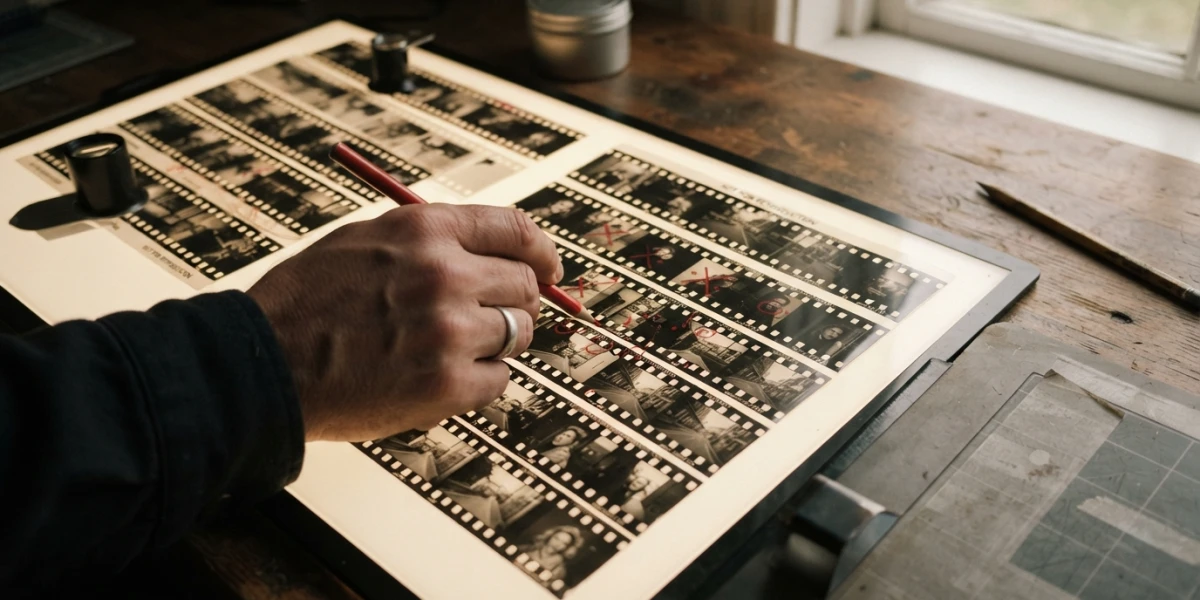
Image generated with AI
The photo is licensed. Then your client asks for a different sky and the brand color on the model's jacket. Can you edit stock photos that far? The limit is not a matter of taste - it sits in the license.
This is the quiet friction of every design review: the asset was paid for, and the layout needs one more change. Most buyers assume they need permission, a new purchase or an upgrade. Often they need none of those - and sometimes they are about to cross a line they never read. Here is where it runs.
The Short Answer: Can You Edit Stock Photos Without Asking Anyone
In most commercial licenses, "use" already includes the right to modify. iStock's license agreement defines use as copying, reproducing, modifying, editing, syncing, displaying and publishing the content, and Adobe Stock's license comparison lists "can modify the asset" as a granted right across its tiers. You are buying a right to use the image, not the copyright itself. Moving pixels is allowed. Claiming authorship is not.
| What you want to do | Where it stands |
|---|---|
| Crop, straighten, resize | Allowed |
| Grade color to your brand palette | Allowed |
| Remove dust, wires, a stray cone | Allowed |
| Change or remove the background | Allowed on creative assets, no on editorial |
| Extend the canvas, including with AI fill | Allowed, but read the platform's AI terms |
| Add type, client logos, build a layout | Allowed |
| Retouch a real person into another identity | High risk, treat as no |
| Erase a trademark and sell the result as commercial | Does not clean the rights |
| Hand over the file on its own, or as a template | Not allowed |
| Retouch an "Editorial Use Only" asset | Not allowed beyond minor technical fixes |
Seven Edits You Can Make Without Asking Anyone
Once the license is in place, the everyday work is covered: crop and reframe for the format you need, straighten a horizon, resize up or down, retouch dust and small distractions, grade color to match the campaign, cut the subject out for a transparent PNG, substitute or extend the background, and set type or logos over the result. Your client's layout can change three times and the image stays licensed.
The one license, many versions rule
You pay for the original asset once. Editing rounds on that same original are not new stock purchases, so a campaign that needs six banner crops, one square social version and a vertical story cut does not cost six credits or six licenses. Adobe's AI Studio makes the same distinction: it lets you change the background, expand the frame, shift the mood or recolor before you license, and that license covers the edited variations. Generation credits are a separate meter, not a second license.
Treat the download as raw material, not as a finished deliverable: buy the frame with room to crop, then build the versions your media plan needs.
Three Rules That Survive Every Edit
Never deliver the file on its own
Editing does not turn a licensed image into an asset you own and can pass around. Adobe and iStock both prohibit stand-alone distribution: what you deliver is the finished project, not a downloadable photo or a template whose main value is the image itself. If a client asks for "the original file too", send the export, not the source. Most licenses do allow internal sharing with employees and contractors bound by the same terms, and transferring the license when the project changes hands.
Do not claim the edit as your own creation
iStock's agreement bans false representation of authorship, and its example is blunt: you cannot paint from a licensed photo and sign the painting as your own. A landing page, a banner, an ad, a deck: fine. A portfolio piece that presents the retouched photo as your original photography: not fine.
Sensitive use needs a disclaimer, not a workaround
When an image with models or property is used around an unfavorable or controversial subject, iStock requires a statement that the use is illustrative and that the person is a model - the familiar "Stock photo. Posed by model." line. Editing the image does not remove that obligation.
Editorial Images Are the Exception: Do Not Retouch Them
Everything above assumes a commercial license. Editorial content is a different category, and the difference is not cosmetic. Adobe Stock states that "Editorial Use Only" material cannot be modified beyond minor technical quality adjustments or light cropping and resizing that preserve the context and integrity of the original, and every use must carry the credit line. Shutterstock's editorial terms follow the same logic.
The buyer's rule is simple. If the design brief requires heavy retouching - compositing, background replacement, removing people, recoloring a product - then an editorial image is the wrong purchase, not a challenge to work around. Find a commercial version with the releases in place; the cost of the right image is lower than the cost of a claim. The distinction between commercial and editorial use is covered in more depth in our guide to commercial versus editorial licenses.
Editing People: The Release Covers the Use, Not Your Pixels
A model release protects the buyer for the licensed use of that person's image. It does not authorize rewriting who the person appears to be. Altering features to create a different identity, dropping a real face into an invented scene, or implying an endorsement the model never gave are risks outside the license - and iStock warns that its warranty and indemnification do not cover claims arising from the buyer's own modifications. Practical version: do not change faces or bodies into someone else, and do not use a real person to sell something they did not endorse. If releases are the part you keep getting asked about, the release guide covers what they do and do not cover.
Removing a Logo Does Not Clean the Rights
Clipping out a visible trademark in Photoshop does not grant you trademark rights, and it does not convert an editorial photo into a commercial one. Licenses generally prohibit using content as a brand or logo, or in a way that suggests an endorsement. If the layout cannot carry a third-party mark, buy a scene without one.
What Editing Costs You
Editing is usually free of rights fees, but it is not free of consequences for your budget and your deadline.
- A crop eats resolution. If the layout needs a tight crop or a lot of space for a headline, buy the largest size available, not the size that fits today's frame. Re-downloading at a bigger size after approval costs more than buying it once.
- An extended license is not an editing permit. Extended tiers buy volume, merchandising and resale rights - not the right to retouch. Buying up to edit is money spent on the wrong thing; see when an extended license is actually needed.
- Choosing copy space beats rebuilding it. An image composed with negative space where the headline goes saves an hour of generative fill, and generative extension always costs either credits or a designer's afternoon. Format and size planning is covered in our file format guide.
A campaign banner, step by step
Say the brief is a 16:9 paid social banner, made from a photo of a team meeting in a bright office, delivered in the client's blue. Crop to 16:9: covered. Grade the whites toward the brand blue: covered. Replace the messy window background with a clean gradient using an AI background tool: covered on a creative asset, and not allowed on an editorial one. Extend the canvas to the left so the headline has air: covered, as a variation of the same original. Recolor the jacket of the person on the right: allowed as a color edit, but if the change makes her read as a different person or implies an endorsement, stop. Deliver a layered PSD with the photo untouched so the client's in-house team can rebuild it: not allowed - that is stand-alone distribution.
Conclusion
You can edit far more than most buyers assume, as long as you stay inside three lines: keep the file inside the finished project, do not claim the photo as your own, and leave editorial images alone. Everything else - crop, color, background, canvas, type - is part of what the license already sold you.
When you choose images with real copy space, a clean background and a clear license, the editing conversation mostly disappears. Explore the YourPhotoStock collection and download frames that are built to be cropped, recolored and composed - so the only limit you hit is your own layout.
License terms are summarized here for planning purposes. Check the current terms of the platform you buy from before a high-stakes campaign: Adobe Stock license terms, iStock license agreement, Stock Photo Secrets on Shutterstock licensing, and TechRadar on Adobe Stock's AI editing workspace.
Related articles



Looking for the perfect stock photo?
Browse thousands of premium photos and 4K videos, pay per download.
Browse the collection