Oct 10, 2026
Stock Photos for Print: How to Choose Images That Survive the Press
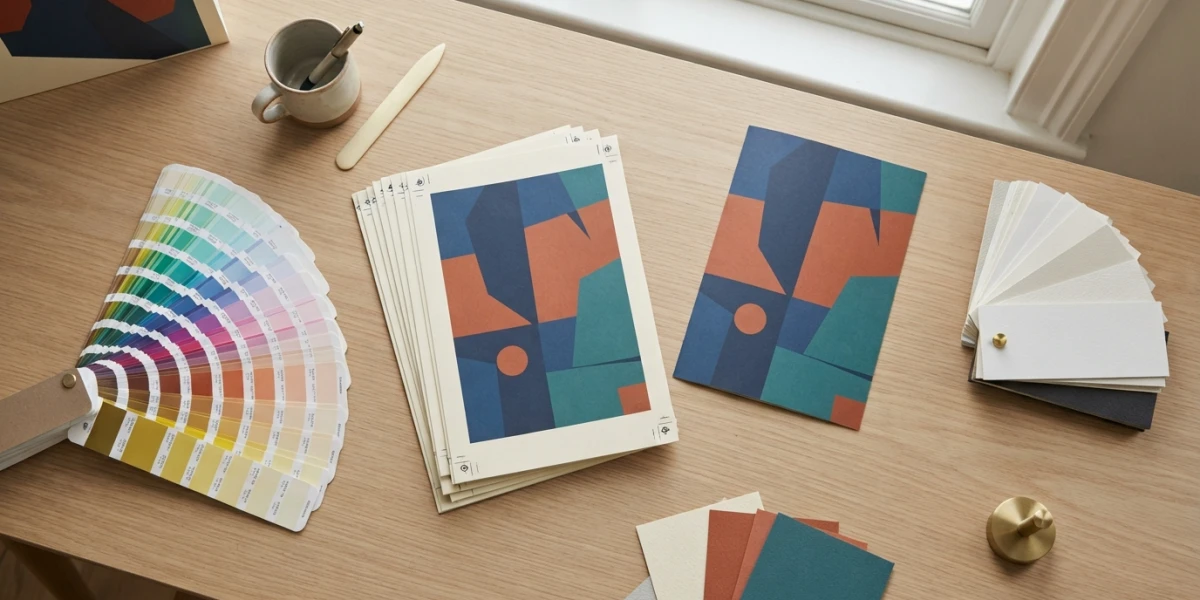
Image generated with AI
Screens flatter photos; presses expose them. Stock photos for print have to hold up at final size, in CMYK, on real paper. The checks that tell you whether an image will survive cost nothing before you buy it.
Why stock photos for print fail even when they look perfect on screen
On a monitor, color is emitted light; on paper, color is light bouncing off ink. Your screen covers a wider gamut than any ink and paper combination can, so part of what you see has to be compressed before it prints. That is not the printer making a mistake; it is a different physical process with a smaller box to work inside.
The second trap is pixels. A DPI figure on an asset page looks reassuring, but changing a label in an image editor adds no detail. What matters is how many real pixels the largest licensed download contains, measured against the size it will be printed at.
The only formula you need
Printed inches multiplied by target pixels per inch gives the pixels you need. A brochure running an image five inches wide at 300 ppi needs 1,500 pixels across. No product page tells you whether a file clears that bar; a calculator does, in ten seconds.
Resolution depends on viewing distance
A leaflet, magazine or catalog held in the hand generally wants 300 ppi at final size. A medium poster seen from a couple of meters can work at 200 to 250 ppi. Large format viewed from further away can drop to 100 to 150 ppi, and highway billboards are often produced at 50 to 75 ppi. The same photograph can be too thin for a leaflet and more than enough for a billboard: buy for the most demanding piece in the campaign.
Ask the printer before you search
Request the printer specification sheet before licensing anything: trim size, bleed, color profile, total ink limit, screen ruling, substrate, minimum resolution and delivery format. With those numbers in hand, your search becomes specific: enough pixels, soft light, a clean area on the left.
The pixel math for real formats
Targets at 300 ppi:
- A4 flyer or letter sheet: 2,480 by 3,508 pixels.
- A3 poster: 3,508 by 4,961 pixels; A2 poster: 4,961 by 7,016 pixels.
- 18 by 24 inch poster: 5,400 by 7,200 pixels at 300 ppi, or 2,700 by 3,600 at 150 ppi.
- 24 by 36 inch poster at 150 ppi: 3,600 by 5,400 pixels.
- 14 by 48 foot billboard: many vendors accept artwork at one tenth scale with 100 to 150 ppi, roughly 1,680 by 5,760 pixels. Confirm with your vendor.
Look at the largest download your license allows, not the preview. If the file comes up short, choose a different photograph instead of enlarging it; enlargement adds no detail. Our guide to stock photo file formats and sizes covers the web, social and print side of the same question.
Aspect ratio and crop: book the bleed before you crop
An A4 page is not 4:5 or 16:9, so the photo will be cropped. Set the final box plus bleed in your layout software and check that the main subject, hands and heads survive the cut. Standard bleed is 0.125 inches per side in US commercial printing and 3 mm in metric workflows. Bleed extends outward past the trim line; the safe zone keeps text and logos inward from the cut.
The four-part image audit before you license
Pixels at final size
Compare the download dimensions against the targets above, then open the file at 100 percent and check for real detail.
Noise, grain and over-sharpening
Ink spreading on paper and halftone screening amplify grain, and white halos from aggressive sharpening print as visible outlines. Prefer clean files with restrained editing.
Composition that survives the trim
With bleed the outer edge is cut away, so a subject placed too close to the edge is a risk. Look for images with breathing room.
Space for the headline
Text on paper is harder to read than on screen, so choose images with calm or flat areas where the headline and data will sit. Our guides to negative space in stock photography and hero images that convert cover the same principle for digital layouts.
What CMYK does to your image
Conversion is not a button
Converting from sRGB to CMYK with your printer profile is the starting point, not the finish. Soft proof against the real profile and correct flat tones by hand. What breaks are the colors outside the gamut: neon greens, bright saturated blues, extreme saturation. A four color press cannot reproduce them, and that is a limit of the process, not a printing defect.
Four color build versus rich black
Setting every channel to 100 percent does not produce a good rich black; it creates excessive ink coverage, which causes drying problems and loss of detail. Total ink coverage limits on coated offset work are typically around 300 percent, and small black text should be built in the K channel alone.
Paper changes the color
On uncoated stock, ink penetrates more: colors look flatter, midtones darker, and the image drifts warmer. Coated paper holds ink on the surface and keeps saturation. The same photo on coated and uncoated stock is effectively two images, so proof on the substrate you will actually print on.
Screen ruling, resolution, skin
Screen ruling sets how much image resolution is worth having: 300 ppi supports a 150 lpi screen. The ISO 12647-2 standard fixes screen ruling between 48 and 80 lines per centimeter and says nothing about image resolution, which is decided by final size and viewing distance. Wherever people appear, skin shows a color shift first, so test those images against the profile and substrate of the job.
Handoff: what you send the printer
Send a PDF with fonts converted to outlines, images embedded at their final resolution, bleed matching the specification, crop marks outside the bleed, and color in CMYK; resolution problems are the most common reason a job is rejected or printed short. If the file does not reach, change the image or recompose instead of enlarging it. Use a soft proof for color and a physical proof when the job is critical; a proof always costs less than a reprint.
Images that print badly (and what to buy instead)
- Closed low key shadows: detail collapses into solid ink. On porous stock, choose open shadows.
- High ISO noise, heavy compression or fine detail reduced to a small size: artifacts and mush, so pick cleaner or simpler scenes.
- Big smooth gradients and flat skies: banding is common on uncoated stock.
- Text or logos baked into the photograph: you cannot change the message.
- Visible brands on screens, uniforms or packaging: prefer clean images, and check our guide to model and property releases.
- Visual cliches: a generic photo cannot be rescued by a strong headline once it is on paper, as we explain in stock photos that do not look stock.
When print changes the license you need
Print volume is the first thing to check. Our commercial license covers printed material up to 500,000 copies. Above that, or when the printed item is sold with the image as the main feature such as a poster, print, mug or shirt, look at extended licensing; our post on the extended license explains the tiers.
Editorial images cannot be used in a commercial brochure, printed ad or packaging, however good the picture is, as our comparison of commercial and editorial licenses shows. Advertising with recognizable people needs a model release, and identifiable buildings need a property release. Keep a license record with asset, date, print run and vendor as proof of use.
A ten point checklist before you download
One: is the printer specification sheet in hand? Two: did I run the pixel math at final size against the ppi my viewing distance requires? Three: does the largest licensed download meet it? Four: did I crop with bleed, and does the subject survive? Five: will grain, noise or sharpening halos get worse with dot gain? Six: is there a calm area for the headline and the data? Seven: are the key colors inside CMYK gamut, and did I test skin? Eight: are blacks and fine detail in K, under the ink limit? Nine: is it commercial use, with releases where needed? Ten: do the print run and product type fit the license, and is the use recorded?
Conclusion
On a press, the file is an irreversible decision: what leaves the platen cannot be fixed later in a photo editor. The buyer who wins answers three questions in order: what size, and from what distance, will this be seen? What will CMYK and the paper do to it? And what may I do with this image once it is printed? Answer those before you pay, and the first run is the only run.
Browse the collection to license print ready imagery with a clear commercial license and per download pricing.
Related articles

Looking for the perfect stock photo?
Browse thousands of premium photos and 4K videos, pay per download.
Browse the collection