Aug 11, 2026
Stock Photography Workflow: Culling, Metadata, and Backups That Save Hours

Image generated with AI
The difference between a hobby and a stock income is repeatability. A stock photography workflow that moves images from memory card to upload in a fixed set of steps saves hours per shoot — and hours are the real cost of selling photos.
The Stock Photography Workflow at a Glance
Most contributors do not fail because their images are bad. They fail because every shoot starts from scratch: files sit on the card for days, culling happens between other tasks, metadata gets typed one image at a time, and nothing is ever backed up. A pipeline fixes that by giving every stage a fixed rule, so the decisions you make once apply to every session afterward.
The standard pipeline has seven stages: ingest, cull, edit, metadata, export, upload, and backup. The order matters. If you cull before you edit, you never waste time retouching images you will delete anyway. If you apply metadata before you export, every file leaves your computer ready for the agency. And if you back up before you upload, a failed submission costs you nothing but a resend.
With a routine in place, a typical session runs like this: ten minutes to ingest and rename, twenty to cull, your normal editing time, five minutes to apply a metadata template, ten to export, then upload and backup. That is roughly an hour of administration around the creative work — and it stays the same whether you shot two hundred frames or two thousand.
Culling: Delete Fast, Edit Only the Keepers
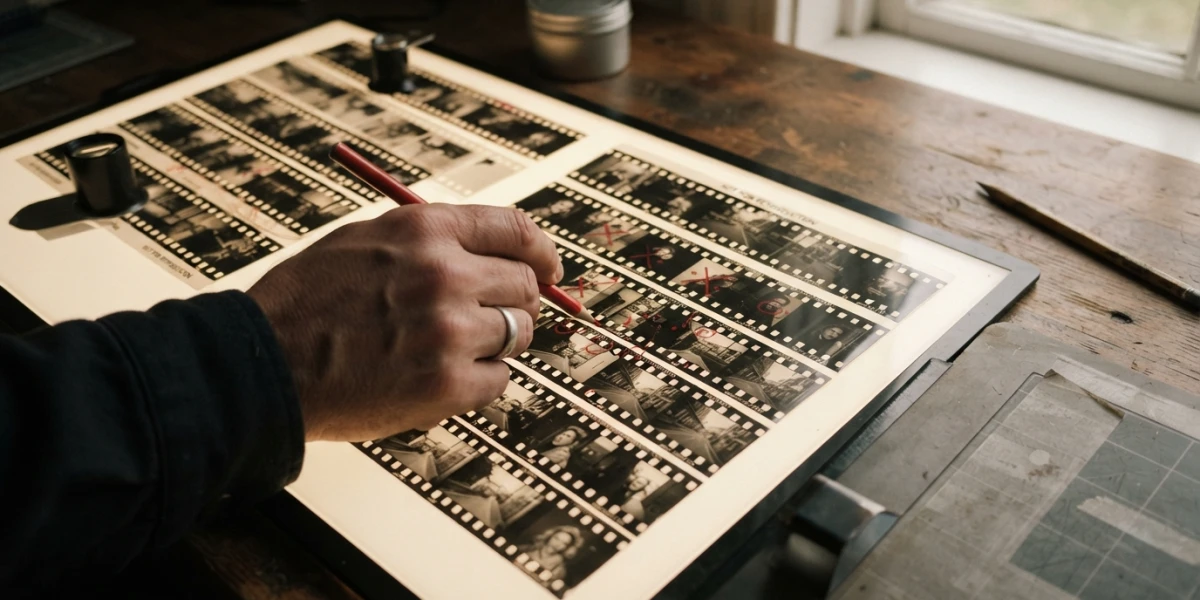
Culling is where most time is won or lost. The fastest approach is two passes with different goals. In the first pass you delete technical rejects: soft focus, broken exposure, closed eyes, anything with a fatal flaw. In the second pass you handle duplicates and near-identicals, keeping the single strongest version of each moment.
Two rules make culling dramatically faster. First, select before you edit — never open an editor until the keepers are chosen. Second, use a rating system instead of deciding image by image. Marking candidates as picks and rejects as you scroll is faster than deliberating, and it keeps your attention on the ratio of keepers, not on individual files.
Speed tools help at this stage. Dedicated culling software like Photo Mechanic loads contact sheets almost instantly because it reads the embedded preview instead of rendering the full RAW. The fastest setup for most photographers is hybrid: cull in a fast browser, then hand the selected files to Lightroom or your usual editor. A 2026 comparison of the two tools found that roughly 85 percent of Photo Mechanic users still export their final selection to Lightroom for editing, which suggests the hybrid flow beats committing to a single application.
Keep quality over quantity in mind while you cull. Agencies track acceptance rates, and a portfolio of fifty strong, consistent images earns more trust than two hundred borderline ones. Deleting aggressively is not losing work; it is protecting your acceptance record.
Organize Before You Edit
Organization is the step contributors skip, and it is the one that compounds. A folder structure by session — for example YYYY-MM-DD_topic — keeps every shoot findable years later. Within the folder, a consistent file naming convention such as date_subject_sequence means the files sort themselves and never collide when you export batches.
You can organize inside a Lightroom catalog, in plain folders, or both, but the important thing is to do it at ingest time. Letting ten thousand unclassified photos accumulate turns every future search into a nightmare, and by the time the pile exists, fixing it costs a weekend. Treat organization as an investment: the ten minutes you spend naming a session are repaid the first time an agency asks you to resubmit a specific series.
Metadata Templates
Typing title, description, and keywords into every file by hand is the single most tedious task in stock work, and it is completely avoidable. Build a metadata template per session: the shoot topic, a reusable description pattern, and the keyword set you planned before shooting. Most editors let you save presets and apply them to a whole selection at once, which turns an hour of typing into a five-minute batch operation.
Two details matter at export time. Fill the IPTC fields — author, copyright, and title — so every delivered file carries your ownership information automatically. And apply keywords at export, not at import: keywords written during ingest get stale as you cull, while keywords applied to the final selection describe exactly what you are submitting. For the craft of writing the keywords themselves, our guide to stock photo keywords covers the vocabulary; here the point is the template and the timing.
The 3-2-1 Backup Rule
Stock libraries disappear all the time — a dead hard drive, a stolen laptop, a corrupted card. The defense that professional photographers use is the 3-2-1 rule: keep three copies of your data, on two different kinds of media, with one copy off-site. The rule was popularized by photographer Peter Krogh and it remains the standard because it survives the realistic failure modes: one copy dies, and you still have two; your house floods, and one copy is elsewhere.
A budget-friendly implementation is one external drive for local backup plus a cloud service for the off-site copy. Your computer holds the working files, the external drive holds a second copy, and the cloud holds the third. Two things trip people up. Back up processed files, not just RAWs — the edited finals are the product, and re-editing a year of work is not a backup plan. And test your restores: a backup that has never been restored is a hope, not a strategy.
In the pipeline, backup happens twice: after editing and before uploading. If the upload fails or an agency rejects a batch, your files are already safe, and resubmitting later costs nothing.
Batch Export and Upload
Export is where consistency pays. Set your export preset once per agency: sRGB color space, the size the agency specifies, and high-quality JPEG compression. When every file leaves your computer with the same settings, you stop second-guessing submissions and start shipping them.
Upload in batches rather than trickling files in throughout the day, and keep a simple submission log — a spreadsheet with the date, the agency, and the accepted or rejected outcome for each batch. The log turns rejection data into a plan: if one agency consistently rejects a certain subject, you either improve that work or stop producing it. When an image is rejected for a fixable reason, improve it and resubmit instead of abandoning it; many contributors leave money on the table by treating a rejection as final.
Why Buyers Benefit
The same discipline that saves you hours also makes your catalog easier to buy from. Clean metadata means a buyer searching for "remote work desk" actually finds your remote work series instead of burying it under unrelated results. Consistent series — the same subject shot in a coherent set — let designers assemble a campaign from one contributor without mixing styles, which is exactly what art buyers look for.
Curated collections depend on this. At YourPhotoStock, collections are built around coherent metadata and matching series so a buyer lands on the set they need instead of scrolling through noise. Organized catalogs are not just a seller convenience; they are a buying experience.
Conclusion
A stock photography workflow is the difference between shooting as a hobby and selling as a business. Cull in two passes before you edit, organize at ingest, apply metadata templates at export, back up with the 3-2-1 rule, and log every submission. Measure how long your next session takes from card to upload — then shave it down. If you buy stock instead, choose catalogs with careful metadata and consistent series; the time you save searching is the same time the seller saved organizing. And if you are ready to put a repeatable pipeline to work, explore the curated collections at YourPhotoStock.
Related articles


Looking for the perfect stock photo?
Browse thousands of premium photos and 4K videos, pay per download.
Browse the collection