Aug 8, 2026
Smartphone Stock Photography: How to Sell Photos Taken With Your Phone
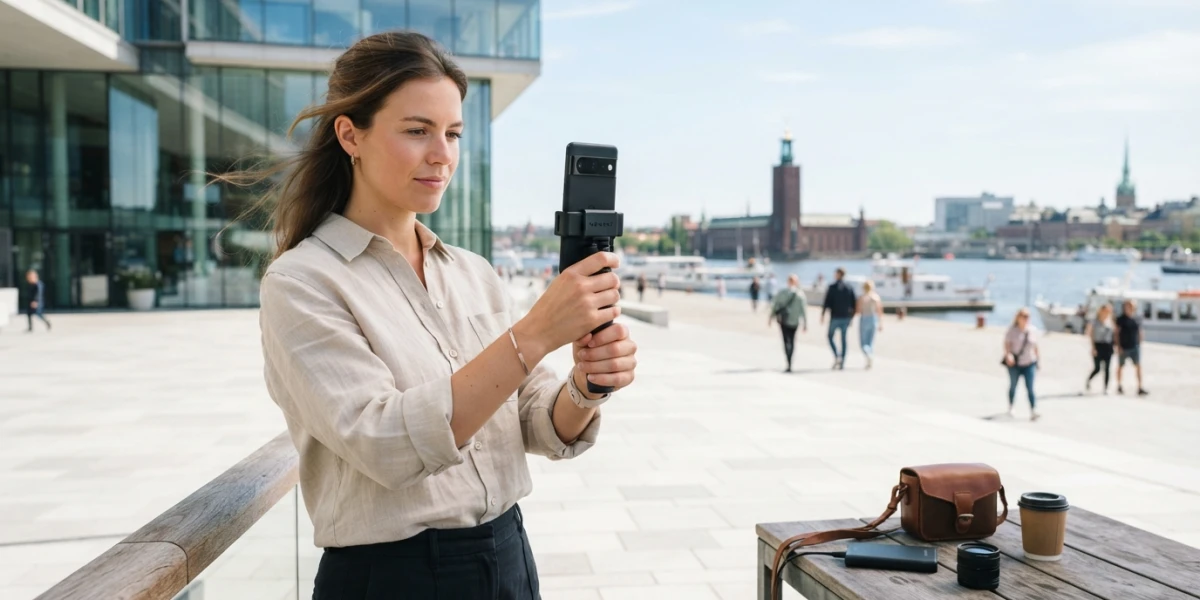
Image generated with AI
The camera in your pocket is no longer a compromise. Smartphone stock photography has gone mainstream: agencies now accept mobile images that hit their technical bar, and flagship sensors deliver files buyers cannot tell from DSLR work. Here is how to make your phone photos license-ready.
Agencies Accept Phone Photos, With Conditions
Adobe Stock explicitly accepts photos taken with any camera, including mobile devices, as long as they meet the same technical and legal standards as every other submission. Shutterstock, EyeEm, Foap, and Snapwire also accept and actively sell smartphone imagery. The message is consistent across the industry: the bar is the file, not the gear. What agencies care about is resolution, noise, sharpness, and clean processing, and a modern phone can deliver all four when you shoot deliberately.
The Technical Minimums
Adobe Stock's photo specifications are a useful reference: JPEG files, sRGB color space, a minimum resolution around 4 megapixels, a maximum of 100 megapixels, and a maximum file size of 45 MB. Most current flagship phones, with 48 to 50 megapixel sensors and up, exceed the minimum with room to crop. That margin matters, because it lets you frame loosely in the field and still deliver a file that clears the requirement after editing.
Shoot RAW (or ProRAW) for Editing Headroom
Phone RAW formats such as Apple ProRAW and Samsung Expert RAW capture a real DNG file and bypass the heavy in-camera processing that bakes contrast, sharpening, and noise reduction into JPEGs. That gives you far more room to recover highlights and shadows, correct white balance, and reduce noise before export. Editing RAW on the phone itself, using Lightroom Mobile or an equivalent, is a complete pipeline that needs no computer at all. JPEG-only capture is workable, but it leaves much less latitude to fix exposure and color problems later, and those fixes are exactly where phone images tend to need help.
The Smartphone Quality Control Checklist
The same quality control that applies to any stock file applies to phone images, and the checklist is short. Check noise at 100% zoom, because high ISO on a small sensor is the classic killer; keep the subject sharp; correct white balance, since phone auto white balance drifts noticeably between scenes; and avoid the artificial look that aggressive HDR and AI processing produce. Export at full native resolution and never upscale: upscaling adds softness and artifacts that reviewers will flag.
Genres That Play to the Phone's Strengths
Certain subjects suit the phone's sensor, and choosing them raises your acceptance rate dramatically. Lifestyle details, textures, flat lays, food, products on neutral backgrounds, and urban details all play to the phone's strengths: plenty of light, clean composition, and no need for extreme dynamic range. Avoid low-light scenes and heavy bokeh shots, where small sensors struggle with noise and softness. Clean, well-lit, simple compositions pass review far more often than dramatic ones.
Editing and Export Workflow
Keep the editing pipeline consistent from shot to shot. Start in Lightroom Mobile or an equivalent editor: apply noise reduction first, straighten the horizon, set white balance deliberately, and finish with gentle curves rather than heavy contrast. Export as a full-resolution JPEG in sRGB with quality at 90 or above, then inspect the file at 100% before uploading, just as you would with any other camera. Keep the untouched original as a reference so you can compare if a file gets flagged.
From Shot to Upload in Six Steps
Here is the complete workflow for selling stock photos from your phone:
1. Turn on RAW or ProRAW capture in the camera settings.
2. Shoot in abundant light, with the subject sharp and the composition simple.
3. Develop the file in Lightroom Mobile: denoise, straighten, correct white balance.
4. Apply light curves and export a full-resolution JPEG in sRGB, quality 90 or higher.
5. Review the export at 100% zoom for noise, artifacts, and sharpness.
6. Upload with complete keywords and metadata, and let the platform's review decide.
What Buyers Should Expect From Mobile Stock
At web and even print sizes, a well-made phone photo is indistinguishable from a camera photo. What matters at licensing time is resolution, noise, and clean composition, not the device that captured the frame. For large-format use, check the pixel dimensions before you license any image, regardless of its source. The practical takeaway for buyers is that the phone label is not a quality label: a curated collection filters by the same technical standards for every file, so a mobile shot that passed review is as trustworthy as one from a full-frame body.
Conclusion
Smartphone stock photography is real, and it rewards exactly the habits that make any stock work sell: shooting RAW, lighting generously, editing with restraint, and checking the file at 100% before uploading. If you sell, activate RAW on your phone and run the quality checklist before every submission. If you buy, explore the YourPhotoStock collection, where every published image has already passed quality control no matter which camera it came from.
Related articles


Looking for the perfect stock photo?
Browse thousands of premium photos and 4K videos, pay per download.
Browse the collection